

In Part 1, we talked about reality.
Broadcom licensing. VMware inertia.
And the daily joy of troubleshooting “sluggishness” with half the visibility you’d like and twice the tools you don’t trust.
That post focused on VM Analytics — because if you’re staying on VMware (by choice or by gravity), visibility is survival.
But while I was spinning up the VM Analytics appliance, something else caught my eye.
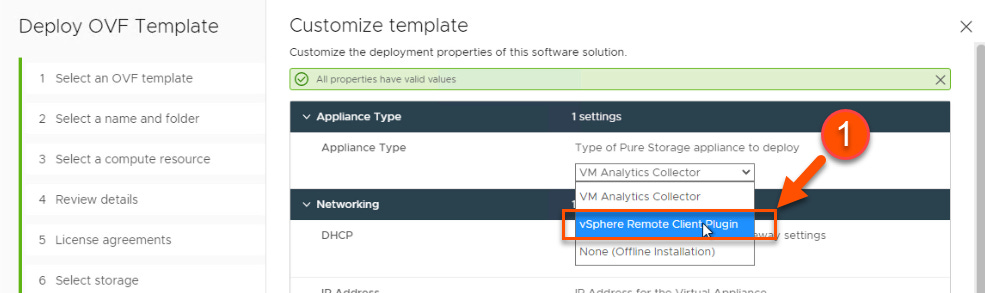
Right there.
In the same OVA. In a very innocent-looking dropdown.
“vSphere Remote Client Plugin.”
And that’s when I realized:
There’s a second story worth telling — for people who are running Pure Storage and VMware together and are still doing things the hard way.
So welcome to Part 2.
This is not an install guide.
This is a “why didn’t I do this sooner?” guide.
The Problem We’ve All Normalized
If you’re a VMware admin on Pure Storage, your browser probably looks like this:
One tab: vSphere Client
Another tab: Pure1
Maybe another: FlashArray GUI
Possibly a fourth tab you’re afraid to close because it has the metric you were chasing
We’ve accepted this as normal.
Need a datastore?
→ vCenter for context
→ Storage GUI for execution
→ Back to vCenter for validation
Need to troubleshoot protection or snapshots?
→ Storage team
→ Ticket
→ Screenshot
→ Delay
None of this is broken.
But all of it is friction.
And friction adds up — especially when VMware admin life is already stressful enough.
That Dropdown Exists for a Reason
When you deploy the Pure Storage VMware Appliance OVA, you’re asked a simple question:
What do you want this appliance to be?
VM Analytics Collector
vSphere Plugin
Offline Installation
Most people pick the first one (correctly).
Then they move on with their lives.
But if you’re a Pure Storage customer, the second option is where things get interesting.
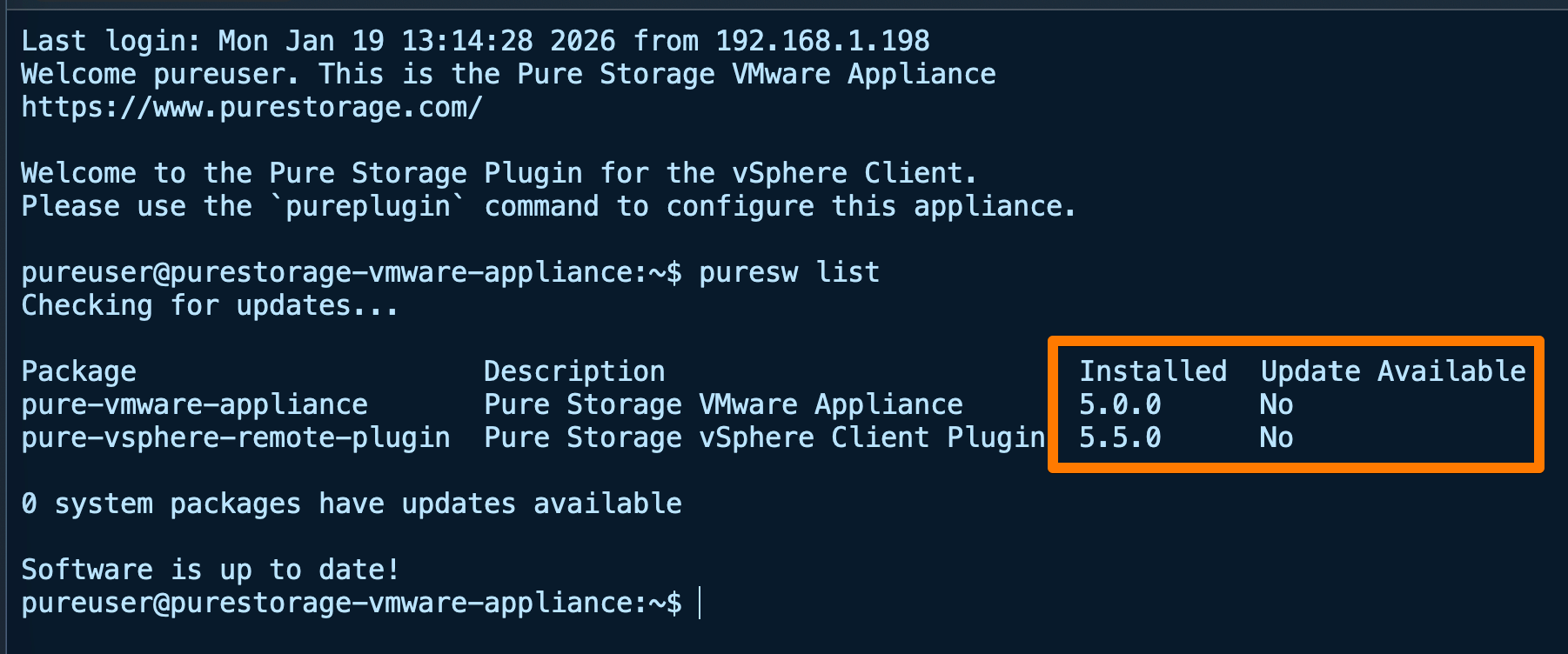
Because that option unlocks the Pure Storage vSphere Remote Plugin — and in version 5.5.0, it finally feels like the tool VMware admins actually wanted.
A Quick Reality Check on Architecture (I Promise This Won’t Hurt)
VMware killed local plugins. Not “deprecated eventually.” Killed.
The future is remote plugins, and Pure did the right thing by embracing it early.
What that means in practice:
The plugin does not live inside vCenter
It runs as a containerized service inside the same Pure Storage VMware Appliance
It has its own lifecycle, upgrades, and resource boundaries
Why you should care:
No more worrying about vCenter upgrades breaking your plugin
No more “wait, which vCenter is this installed on?”
Offline upgrades using a simple CLI (
puresw) if your environment is locked down

This is how plugins are supposed to work in vSphere 8 and beyond.
And yes — this is the boring part. But boring infrastructure is good infrastructure.
Version 5.5.0: When the Plugin Grew Up
Older versions of the plugin were useful — mostly for single-array environments.
Version 5.5.0 is different.
It assumes you operate at fleet scale, not lab scale.
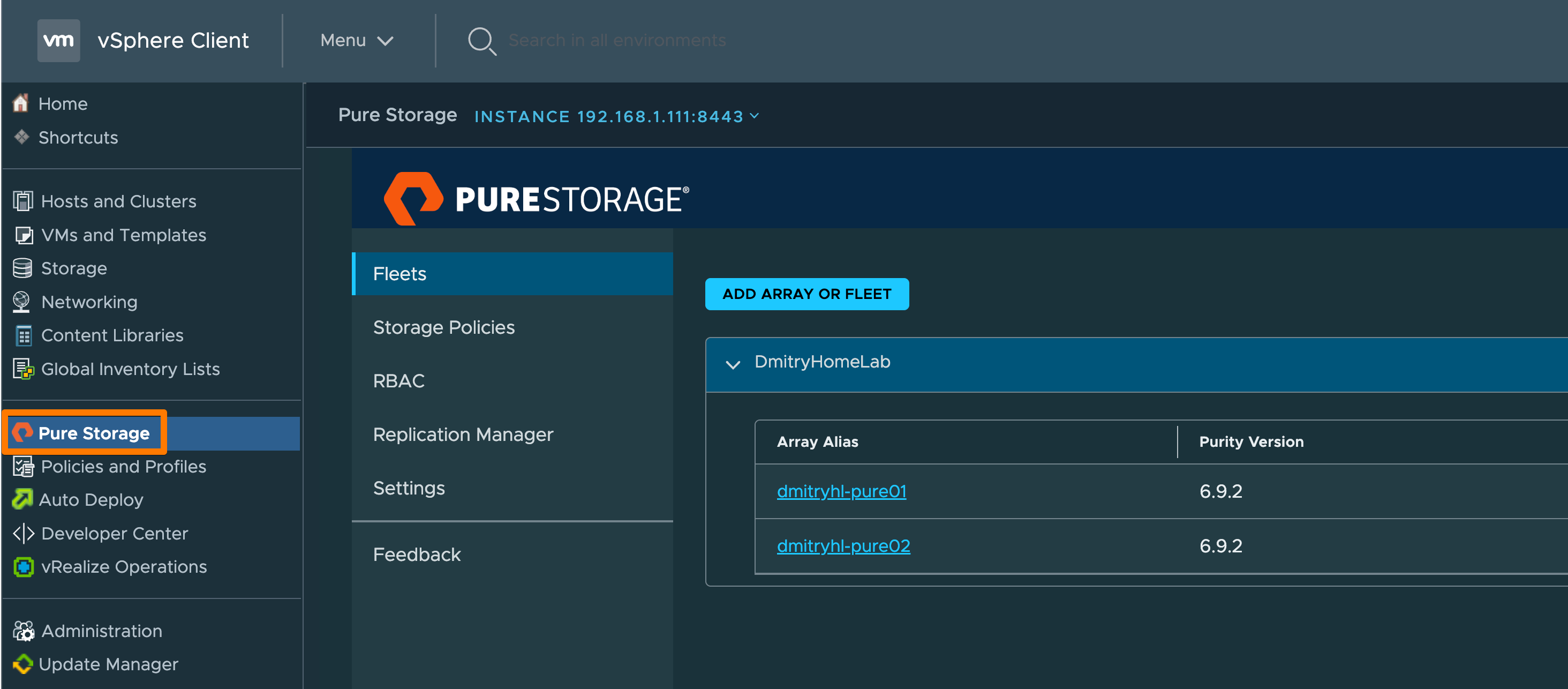
1. Fusion & Fleet Awareness (This Is the Big One)
The plugin is no longer “array-centric.”
You can now:
Register a Pure Fusion Fleet
Automatically see all arrays in that fleet
Provision storage based on Fusion Presets, not guesswork
What that looks like in real life:
“Gold / Silver / Bronze” actually mean something
Datastore placement follows policy, not tribal knowledge
Admins don’t have to know which array is fastest — Fusion already knows
This is cloud-style thinking applied to on-premises VMware.
And yes, it finally feels right.
2. User Mapping That Doesn’t Make Security Cry
Earlier plugin versions treated credentials like a shared family Netflix account.
Version 5.5.0 fixes that.
Best practice now:
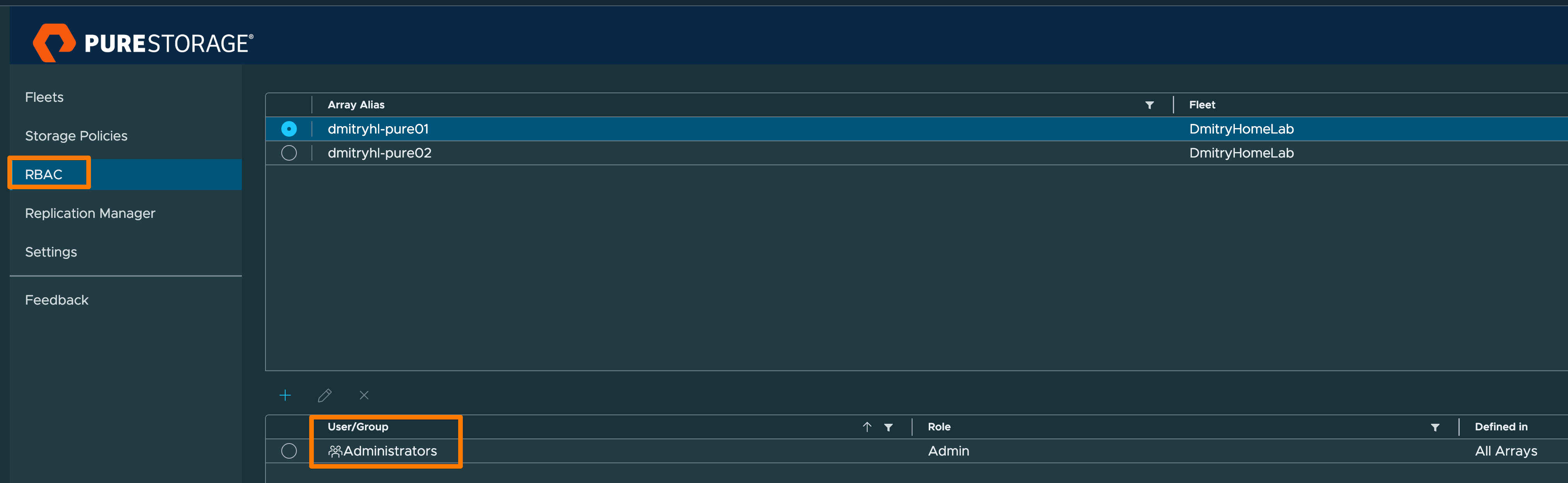
Register arrays or fleets with read-only credentials
Individual vSphere admins add their own credentials
Actions are executed as the actual human who clicked the button
Why this matters:
Least privilege actually exists
Audit trails make sense
Security teams stop giving you that look
3. Ransomware Awareness Where It Belongs
Instead of burying protection settings in documentation, the plugin now surfaces ransomware and protection context directly in SPBM workflows.
Translation:
When you provision storage, you see what protection you’re actually getting
No more “I thought that policy replicated”
No more surprises during an incident
This is subtle.
And extremely important.
Day-to-Day Life with the Plugin (Where the Value Really Shows)
This is the part that makes you stop opening extra tabs.
Datastore Provisioning Without Rituals
From vSphere:
Right-click
Create datastore
Choose VMFS or vVols
Pick a Fusion preset (or array)
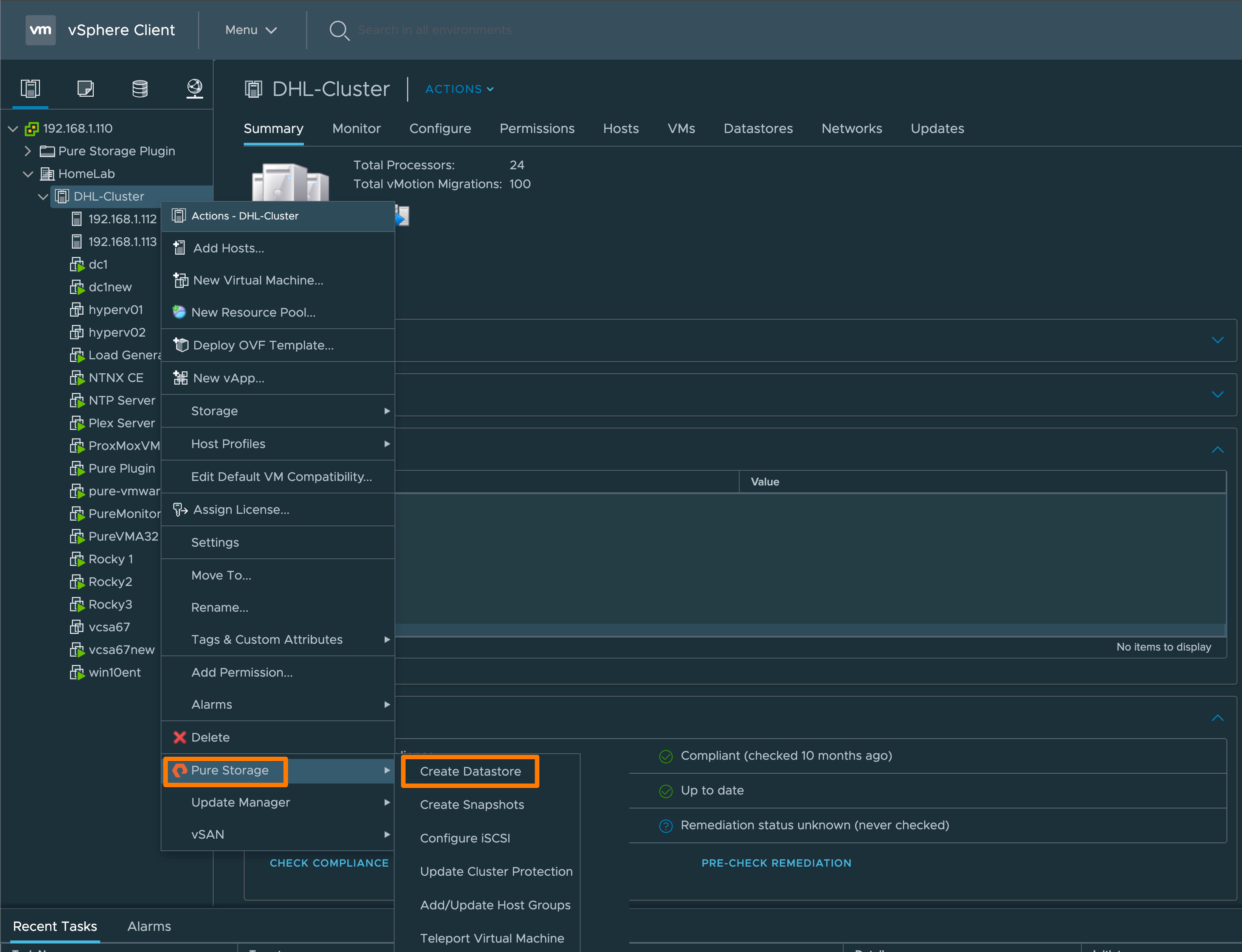
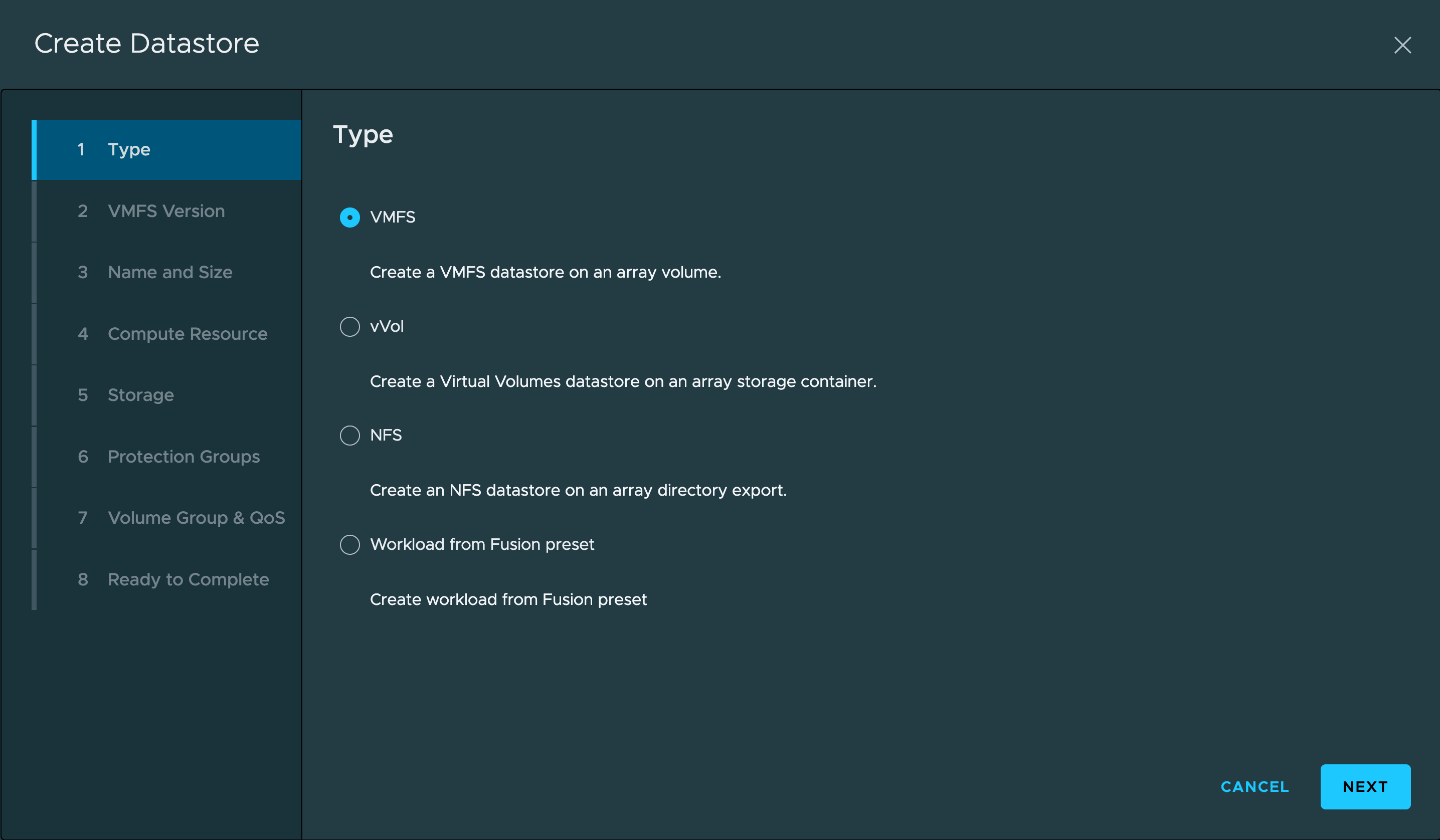
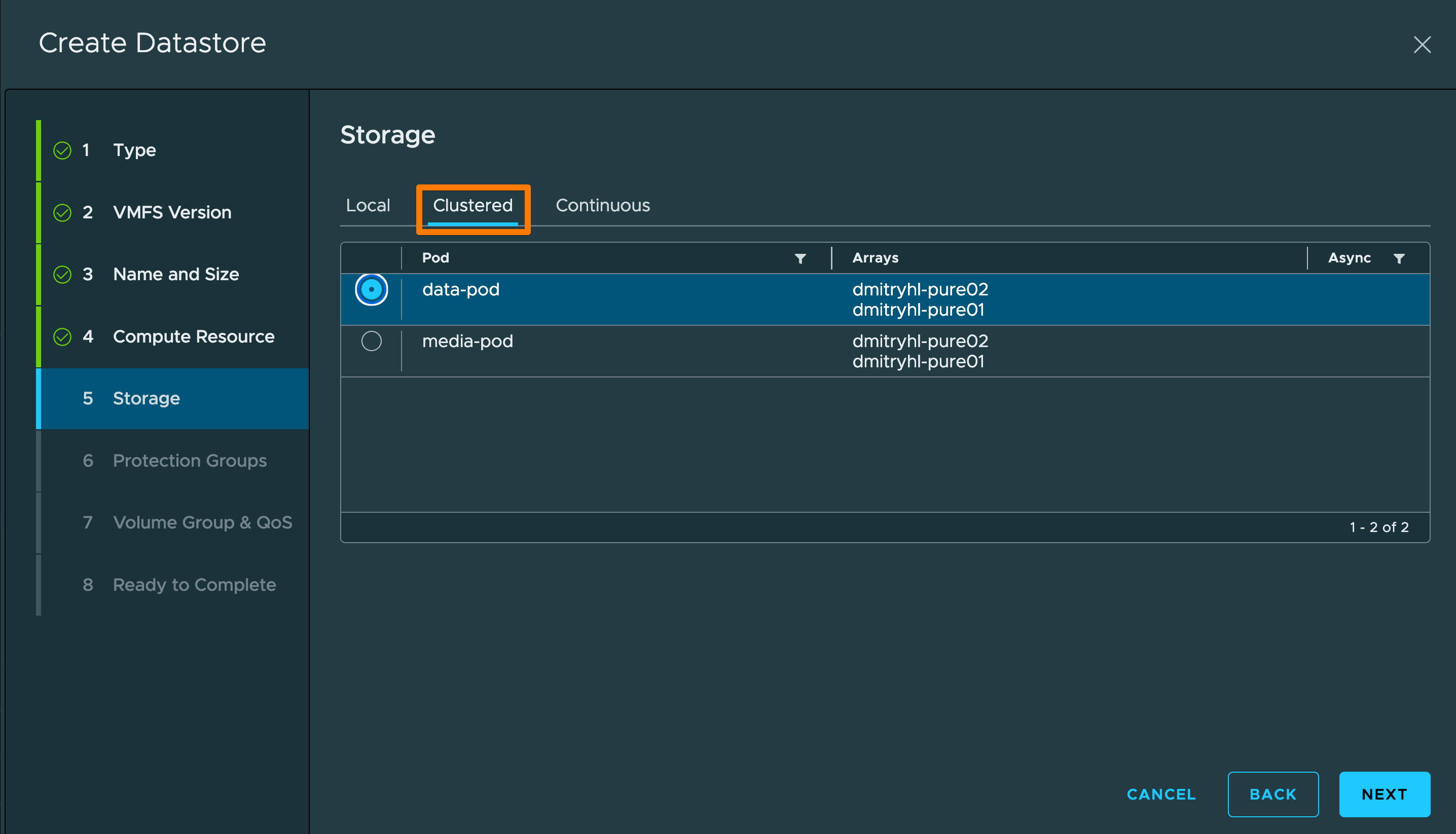
Behind the scenes, the plugin:
Creates volumes
Handles host groups
Connects storage
Rescans hosts
Formats datastores
No checklists.
No missed steps.
No “why can’t ESXi see this volume?”
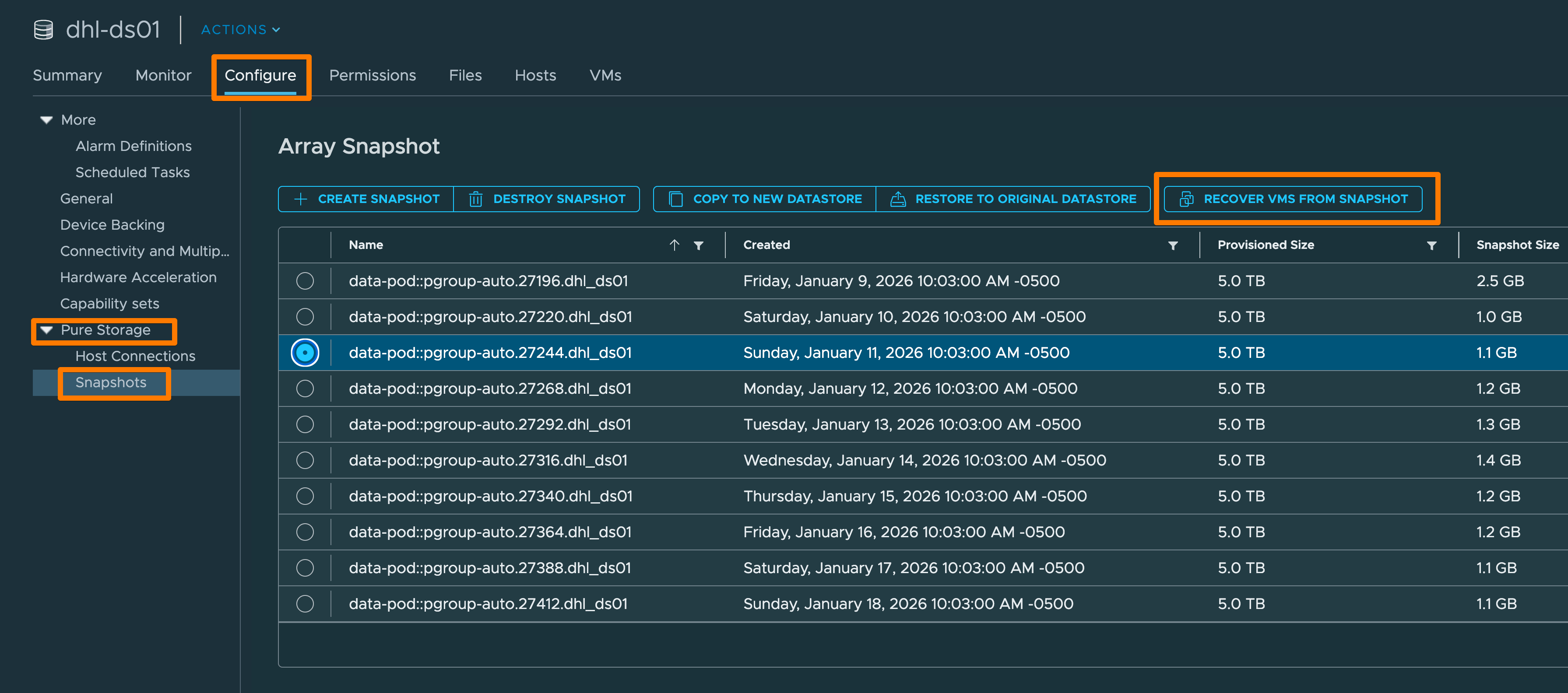
Snapshots Without a Support Ticket
Need a point-in-time snapshot? Restore a VM? Validate protection?
You can do it from vSphere.
This is huge:
vAdmins don’t wait on storage teams
Recovery becomes operational, not ceremonial
MTTR drops without drama
Storage Visibility Without Leaving vSphere (Yes, Really)
This is the part that quietly changes behavior.
Once the Pure Storage vSphere Remote Plugin is in place, vSphere stops being storage-blind.
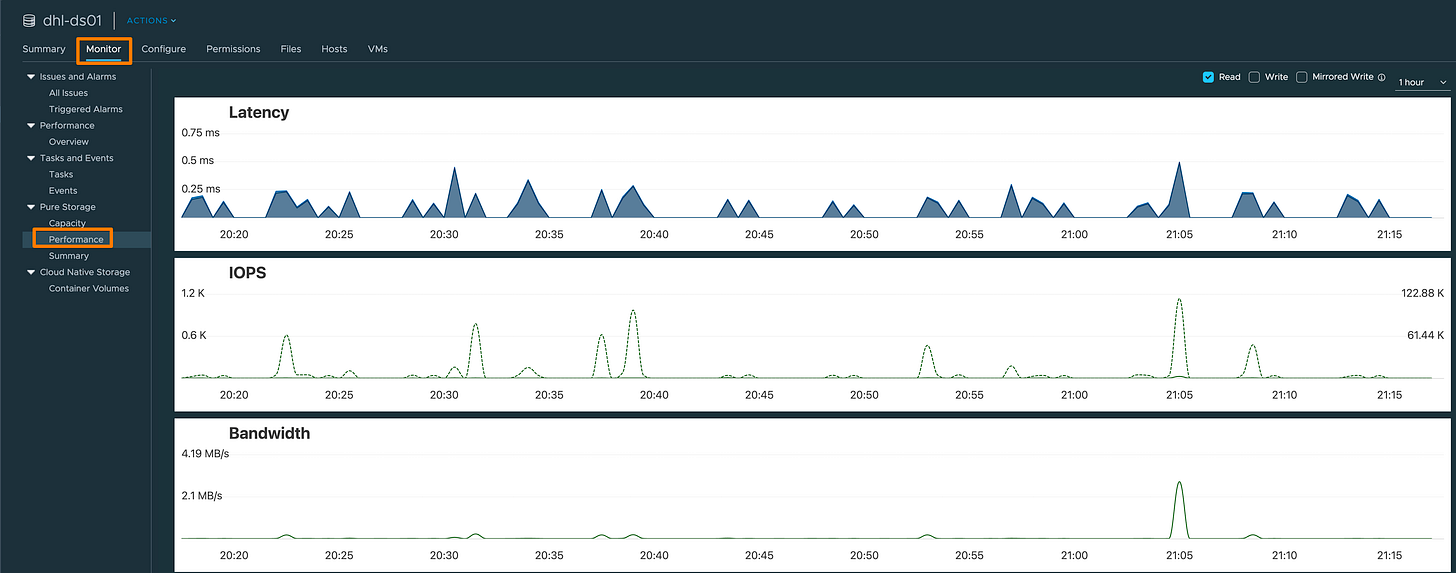
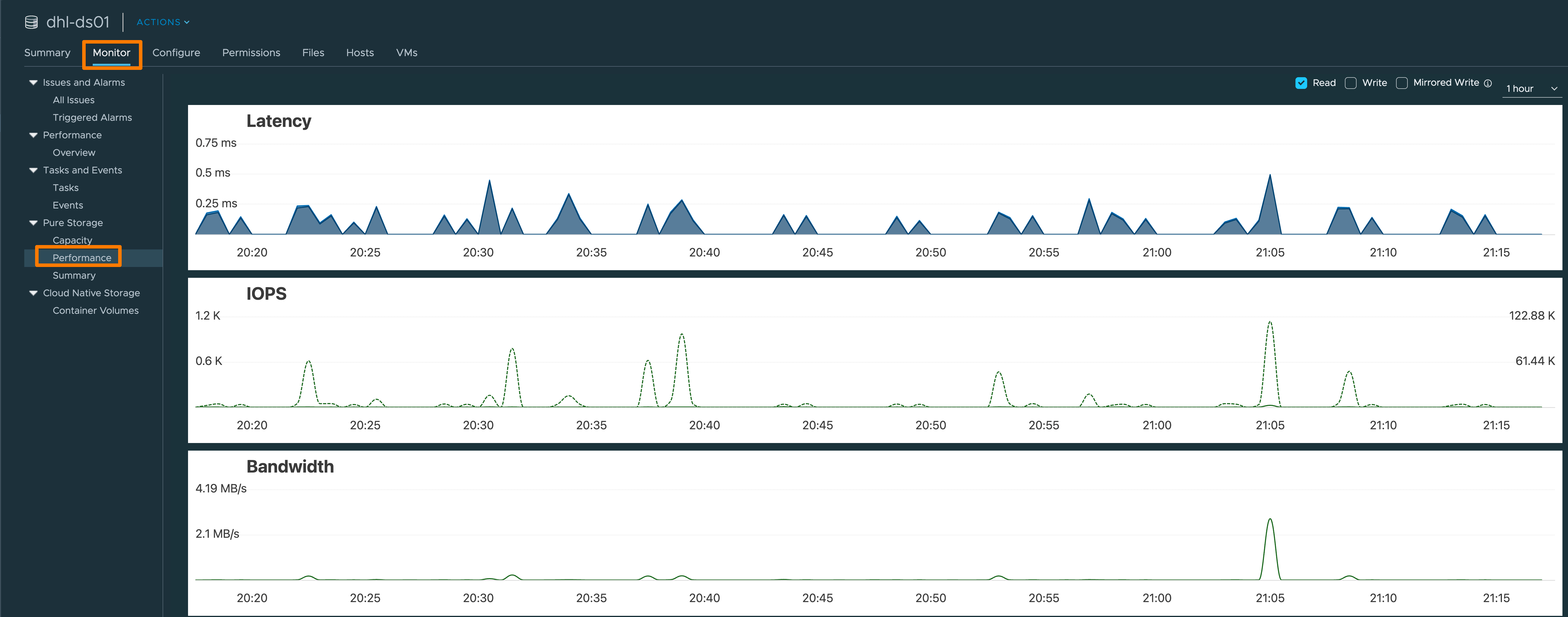
From inside the vSphere Client, you can now see what the array actually sees — not an abstracted version, not delayed stats, and not a “trust me, it’s fine” dashboard living in another tab.
Directly in vSphere, the plugin surfaces:
Array-side performance metrics
Latency
IOPS
Throughput
Capacity insights
Used vs provisioned
Data reduction
Space efficiency

And this matters more than people realize.
vVols Without the Usual Pain
If you’ve ever configured VASA providers manually, you deserve a medal.
The plugin:
Registers VASA providers
Manages vVol datastore lifecycle
Keeps SPBM policies aligned
Which means:
Per-VM storage policies actually work
Granular control without voodoo
vVols stop being “that thing we’ll do later”
Why This Matters (Especially Right Now)
VMware environments aren’t getting simpler.
Budgets aren’t getting bigger.
Admins aren’t getting more time.
The Pure Storage vSphere Remote Plugin doesn’t:
Replace VMware
Replace Pure1
Or magically fix licensing
What it does is remove undifferentiated pain from your day.
Less context switching.
Fewer mistakes.
Faster execution.
Cleaner security posture.
And when things go wrong — which they always do — you’re operating from inside the platform you already live in.
If you are a current Pure Storage customer and don’t use this, please reach out to your local SE to help you set it up.
You know who you are :)
Dmitry Gorbatov
© 2025 Dmitry Gorbatov | #dmitrywashere