

In the first post, I walked through enabling file services on a FlashArray.
There was nothing particularly complicated about it. The process was clean, predictable, and by the end of it I had a fully functional file platform running on the same system that was already supporting the rest of the environment. It behaved exactly the way you would expect it to behave.
And that is precisely what started to bother me.
Because if you step back and look at what we actually did, the workflow has not really changed in years. I still made a series of decisions in a very specific order. I chose where the workload should live, I created the file system, I attached protection, and I made sure everything was named and organized in a way that made sense at that moment.
It was structured. It was controlled. It was also entirely dependent on me.
That model works well enough when the environment is small or when the same person is making the same decisions repeatedly. But as soon as you introduce scale, or simply more people, those decisions start to drift. Not in a dramatic way, but in small inconsistencies that accumulate over time. A slightly different naming convention here, a missed policy there, a workload placed somewhere because it “felt right.”
Nothing breaks.
It just becomes harder to operate.
When the model stops making sense
What stood out to me after going through the manual process is that we are still treating storage as something that needs to be individually managed, even though the platform itself has already moved beyond that.
We have systems that can deliver consistent performance, global data services, and non-disruptive operations, yet we still rely on human judgment to decide where things go and how they should be configured.
That disconnect is where Everpure Fusion begins to make sense.
Not as an additional feature, but as a way to remove an entire class of decisions that we have simply accepted as part of the job.
From managing infrastructure to defining intent
The idea behind the Enterprise Data Cloud is not particularly complicated, but it does require a shift in perspective.
Instead of treating each array as a separate system with its own boundaries, the environment becomes a unified pool of resources. Data is no longer something that you place on a specific array. It is something that exists within a global pool, governed by policies that define how it should behave.
Once you start thinking this way, the questions change.
You are no longer asking where a workload should go. You are asking what that workload needs to look like. Performance expectations, protection requirements, naming, and lifecycle behavior become the inputs, and the system automation takes responsibility for everything else.
That is the role of Everpure Fusion.
What actually changes in practice
The easiest way to understand Fusion is to look at what it removes.
In the manual model, every step is explicit. You build storage object by object, and then you attach policies to those objects. You rely on memory, experience, and sometimes documentation to make sure everything is done correctly.
With Fusion, that entire process becomes declarative.
Instead of building storage step by step, you define a preset. A preset is a reusable definition of what “correct” looks like for a given workload. It captures performance expectations, protection policies, naming conventions, and any constraints that should apply.
Once that definition exists, it becomes the standard.
When you create a workload from that preset, Fusion evaluates the environment and places it on the array that best satisfies those requirements. It creates the necessary objects, applies the policies, and ensures that everything is consistent with the definition.
The important shift is not that tasks are automated. It is that decisions are no longer made ad hoc.
Trying it in the lab
After building file services manually in the previous post, I wanted to see what this would look like using the same environment, but driven through Fusion.
I started by defining a fleet, grouping the array into a logical boundary where resources and policies could be managed collectively. Once the array becomes part of a fleet, you stop thinking of it as an individual system and start treating it as part of a shared pool.
From there, identity becomes the next requirement. Fusion relies on centralized authentication, typically through secure LDAP backed by Active Directory. This is what governs access to presets and workloads, and it ensures that everything aligns with existing organizational controls.
Up to this point, everything felt exactly like I expected.
Then I moved to the part I was actually interested in.
Where things didn’t quite line up
The goal was to take the file services I had already built and express them as a preset. I wanted a single definition that would describe the file system, its structure, its policies, and its behavior, and then use that definition to create workloads without going through the manual steps again.
Conceptually, that is exactly what Fusion is supposed to do.
In practice, I ran into a limit that I had not fully appreciated at the start.
I was running Purity OS 6.9.2.
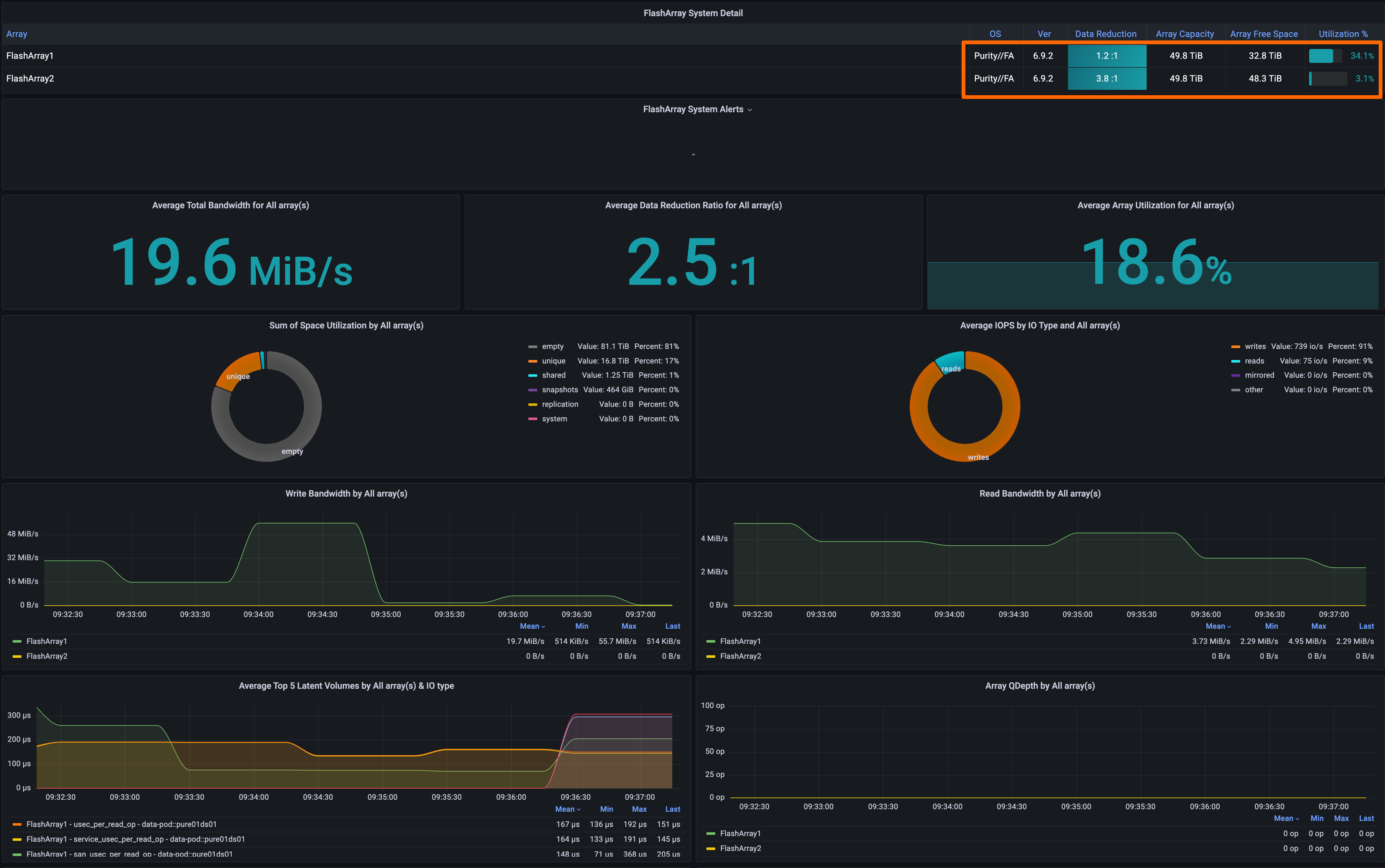
Which, to be fair, is where most production environments should be. It is a Long-Life Release, stable, predictable, and already capable of delivering Fusion for fleet management, intelligent placement, and policy-driven storage classes.
You can create Presets and Workloads for block workloads.
What it does not include is full support for File Presets on FlashArray.
That capability, where a file system, its directories, and its access policies are all defined and deployed as a single unit, arrives in the 6.10.X Feature Release line.
Which means that the exact outcome I was trying to demonstrate was sitting just one version ahead of me.
This is where I had to laugh at myself
There is always a moment in a lab where you realize that the limitation is not the platform.
It is you.
In this case, it was me getting ahead of the version I was actually running.
My intentions were “ever” so “pure” (IYKYK). The execution was slightly behind the feature set.
So I upgraded
One of the advantages of working with this platform is that upgrading does not carry the same weight it used to. The system is designed for non-disruptive operations, and moving between versions does not require downtime or migration.
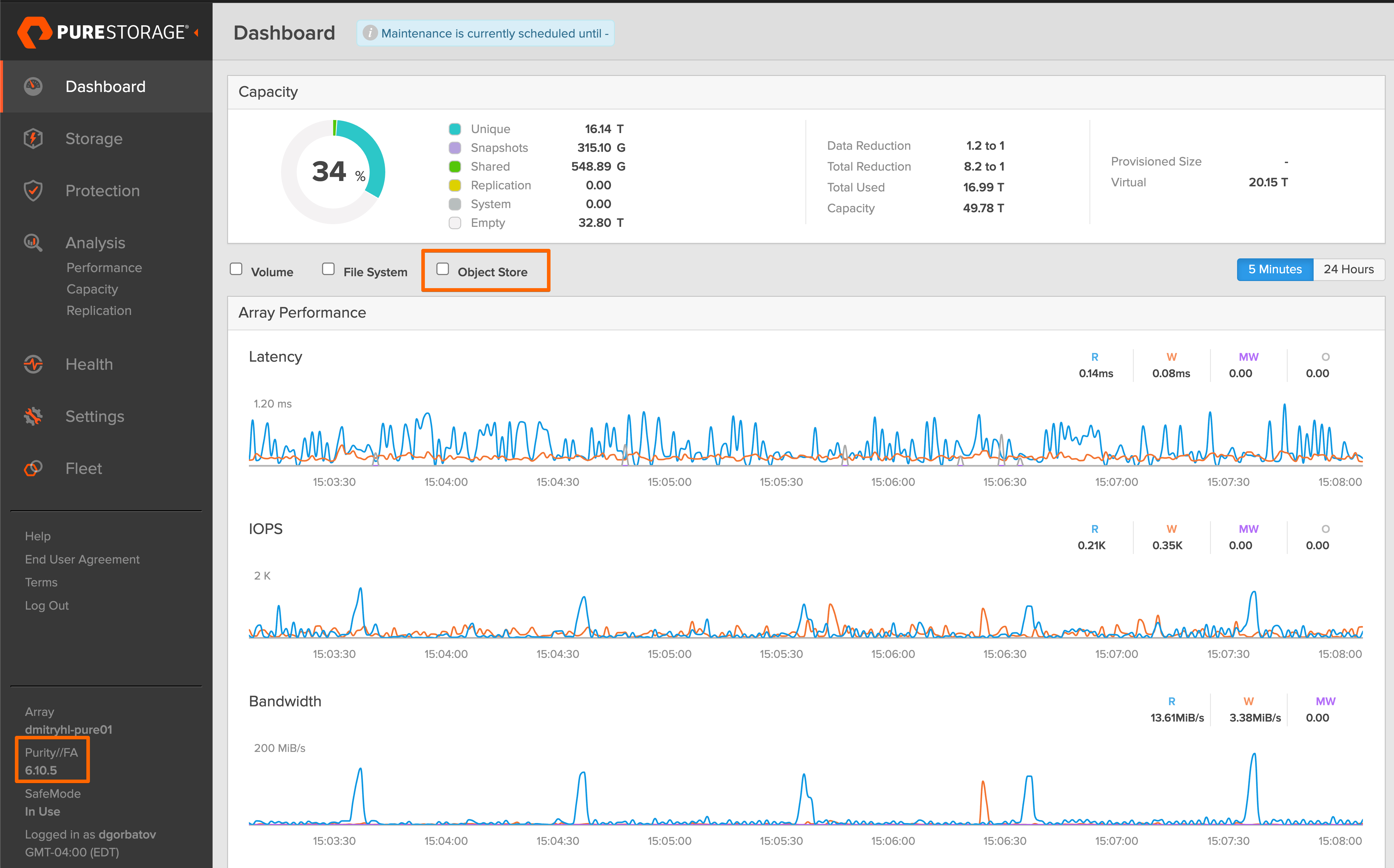
The upgrade to 6.10.5 was uneventful in the best possible way. Controllers were updated in sequence, workloads continued to run, and the system transitioned to a new set of capabilities without introducing risk.
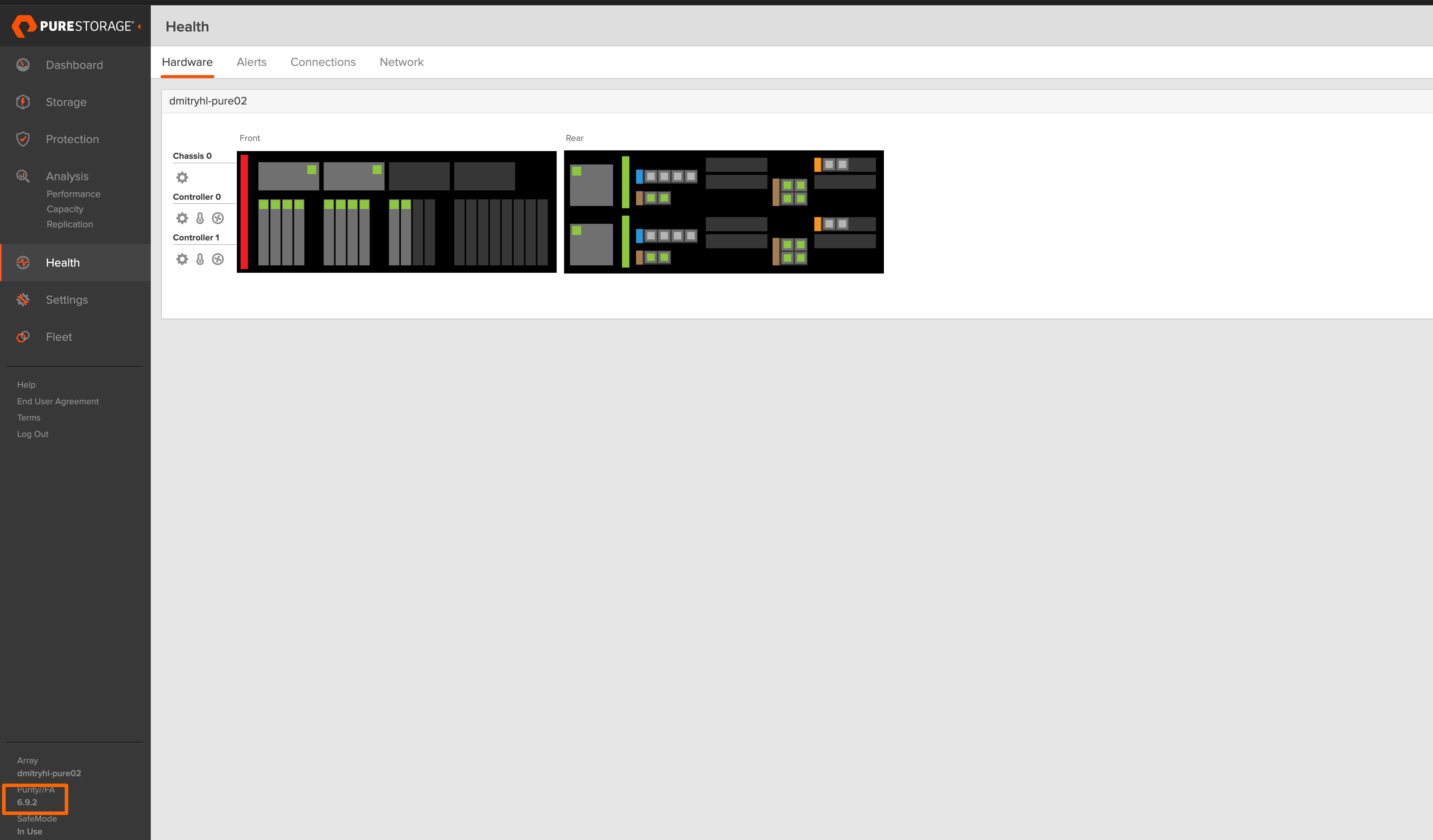
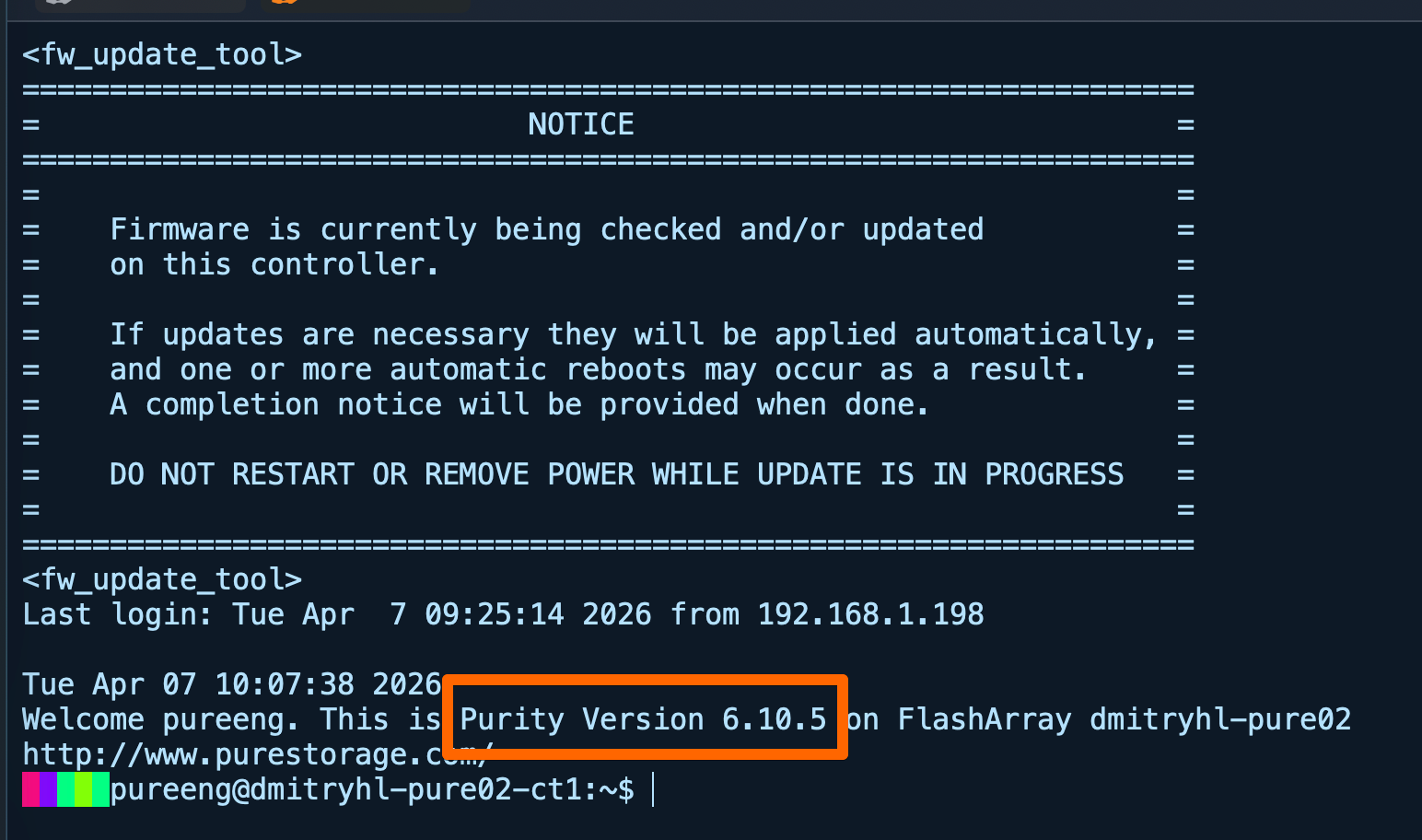
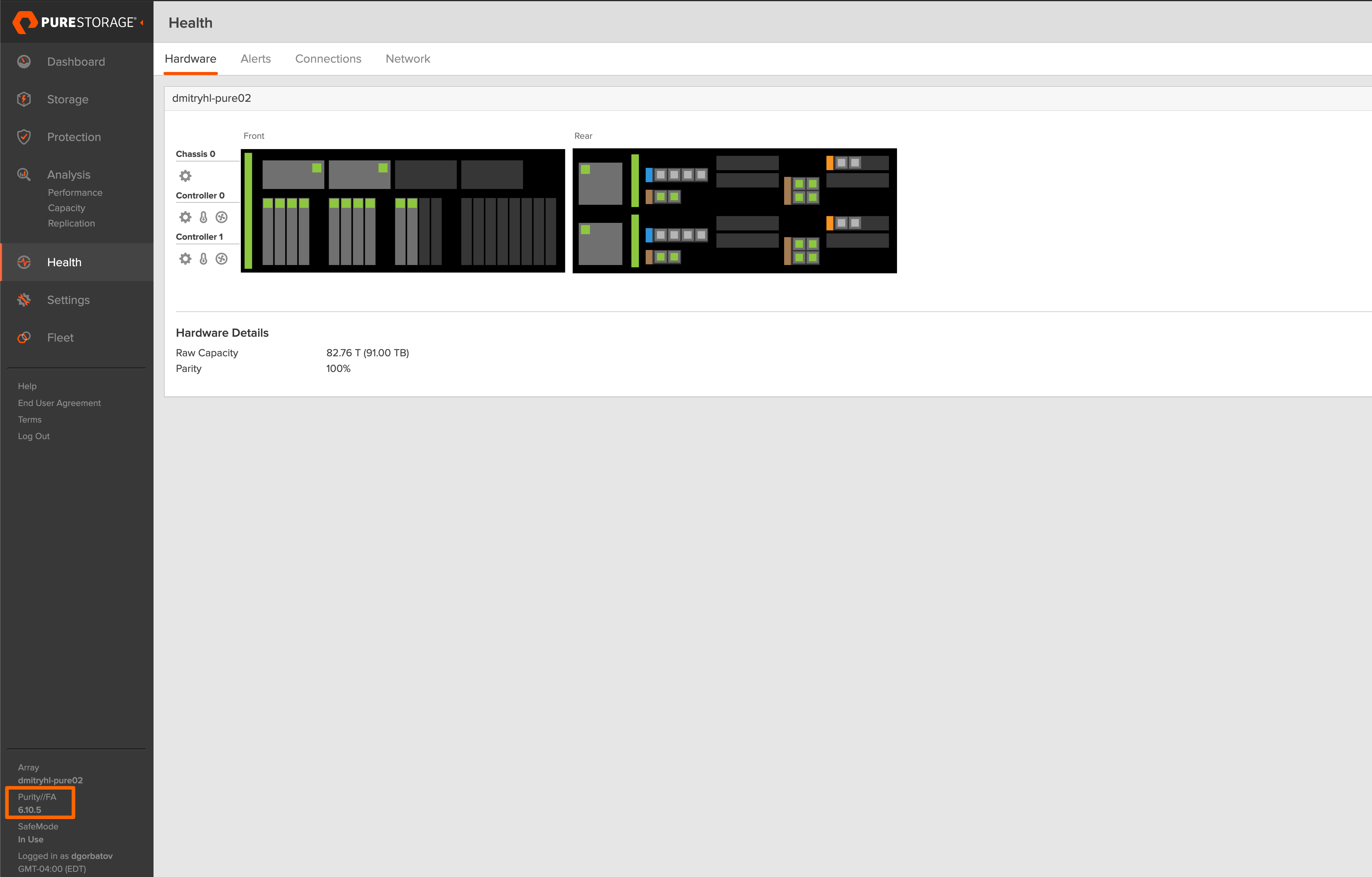
There is something very satisfying about performing an upgrade not because something is broken, but because you want access to what comes next.
BREAKING NEWS: The FlashArray now supports Object??? What in the world? I may need to write an article about that!!
When it finally clicks
Once on 6.10.5, the model finally aligns with the intent.
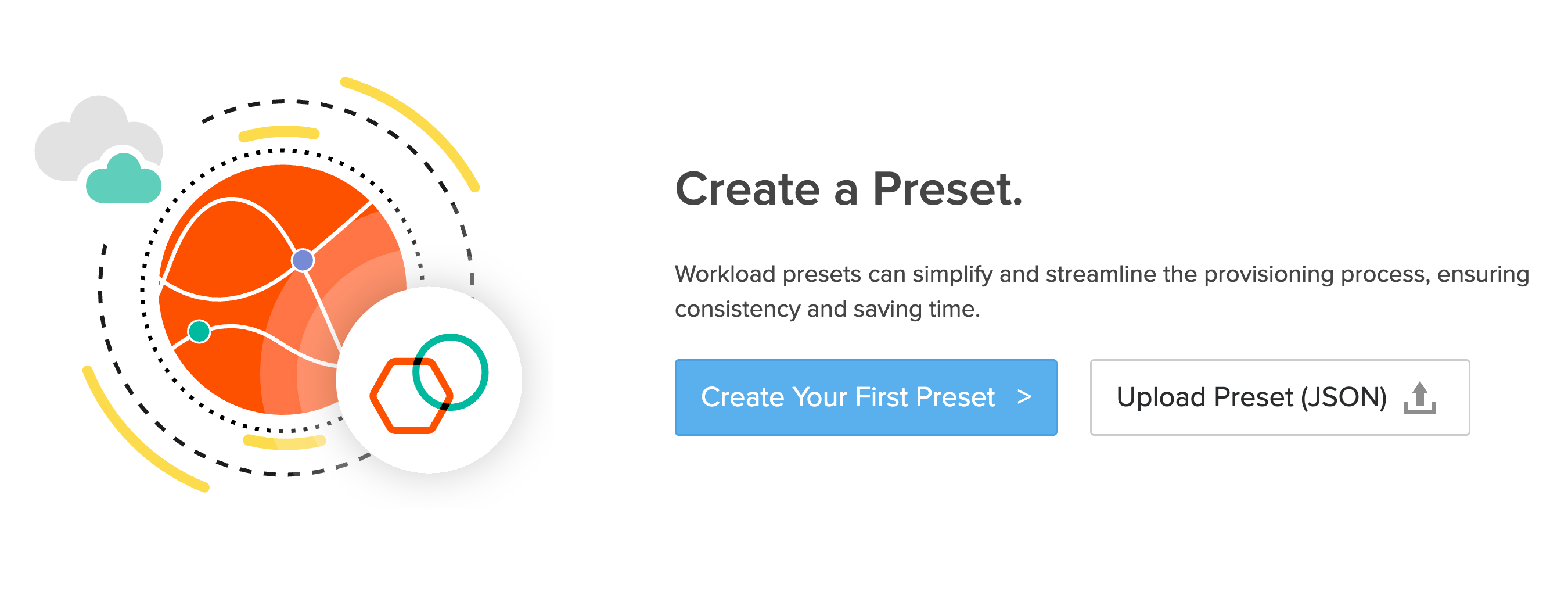
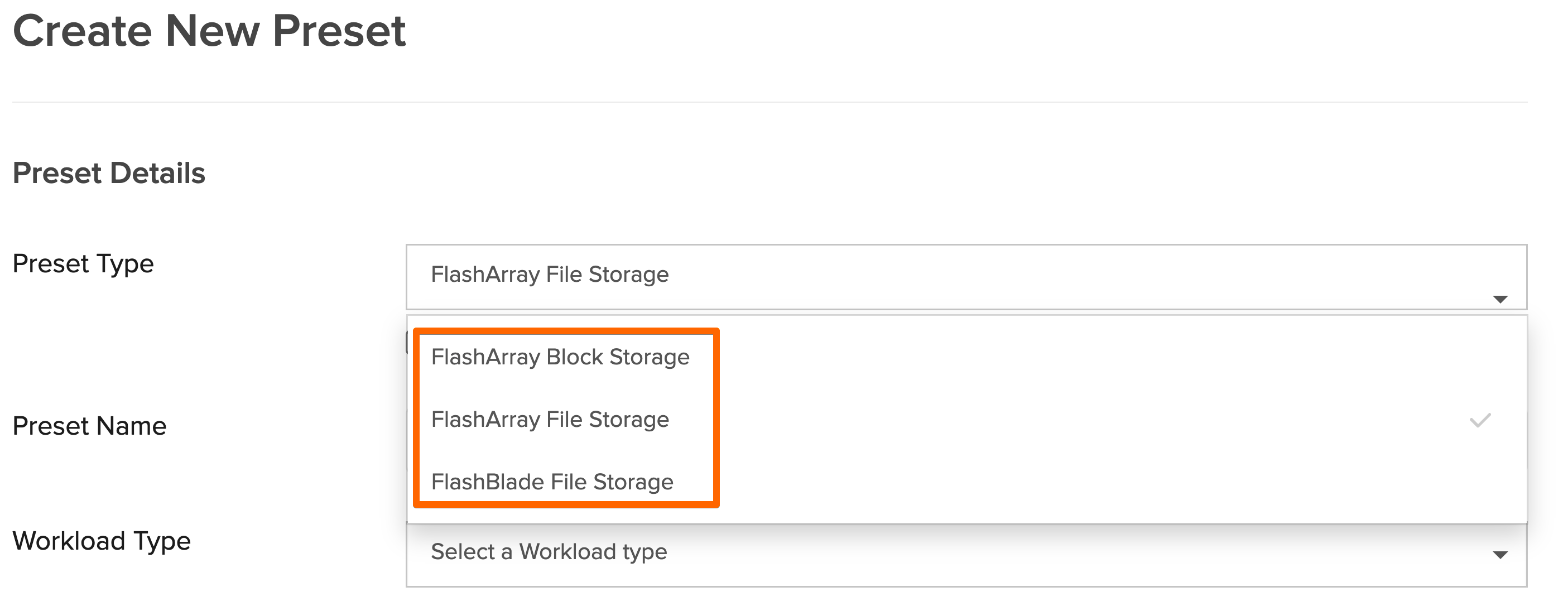
Once I clicked on Create Your First Preset, it gave me these options:
I defined a preset that described the file workload I had previously built manually. It included the expected behavior, protection policies, and naming conventions. Instead of creating individual components, I was defining the service as a whole.
Now this was really neat - when you select Storage Class, it knows that arrays are available in your environment. In my case, I only have FA //X.
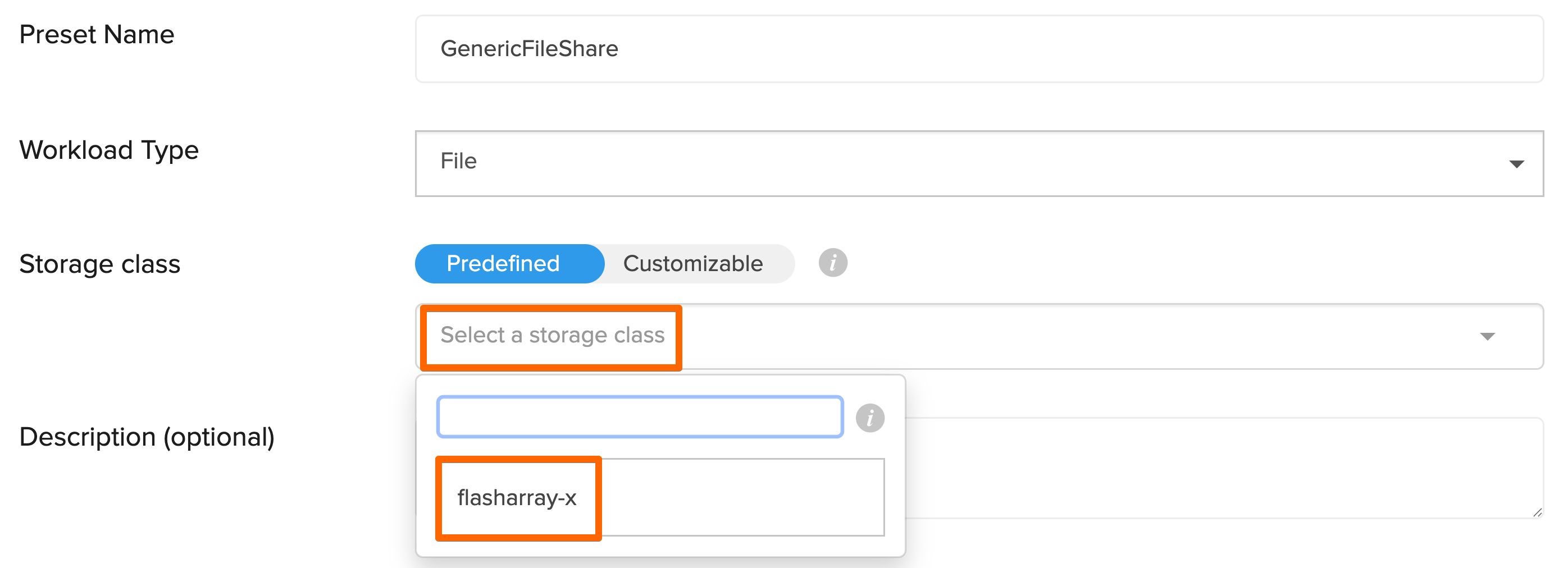
At this point a new field opens and allows you to select the Storage Resources.
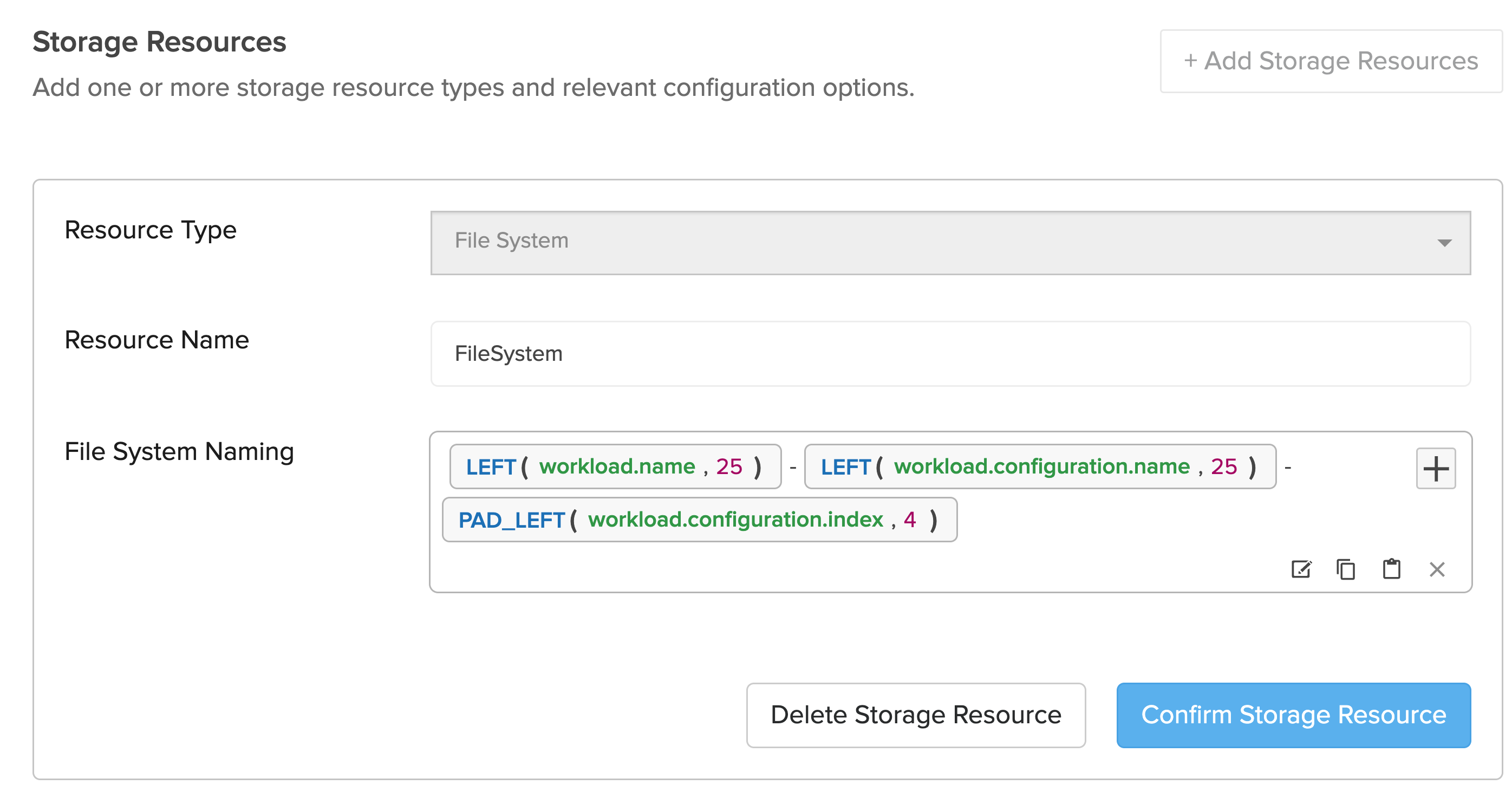
Once I hit “Publish'“ this was the result:

Think of this entire process like this:
Define your Recipe (Preset)
Order from the Menu (Workload)
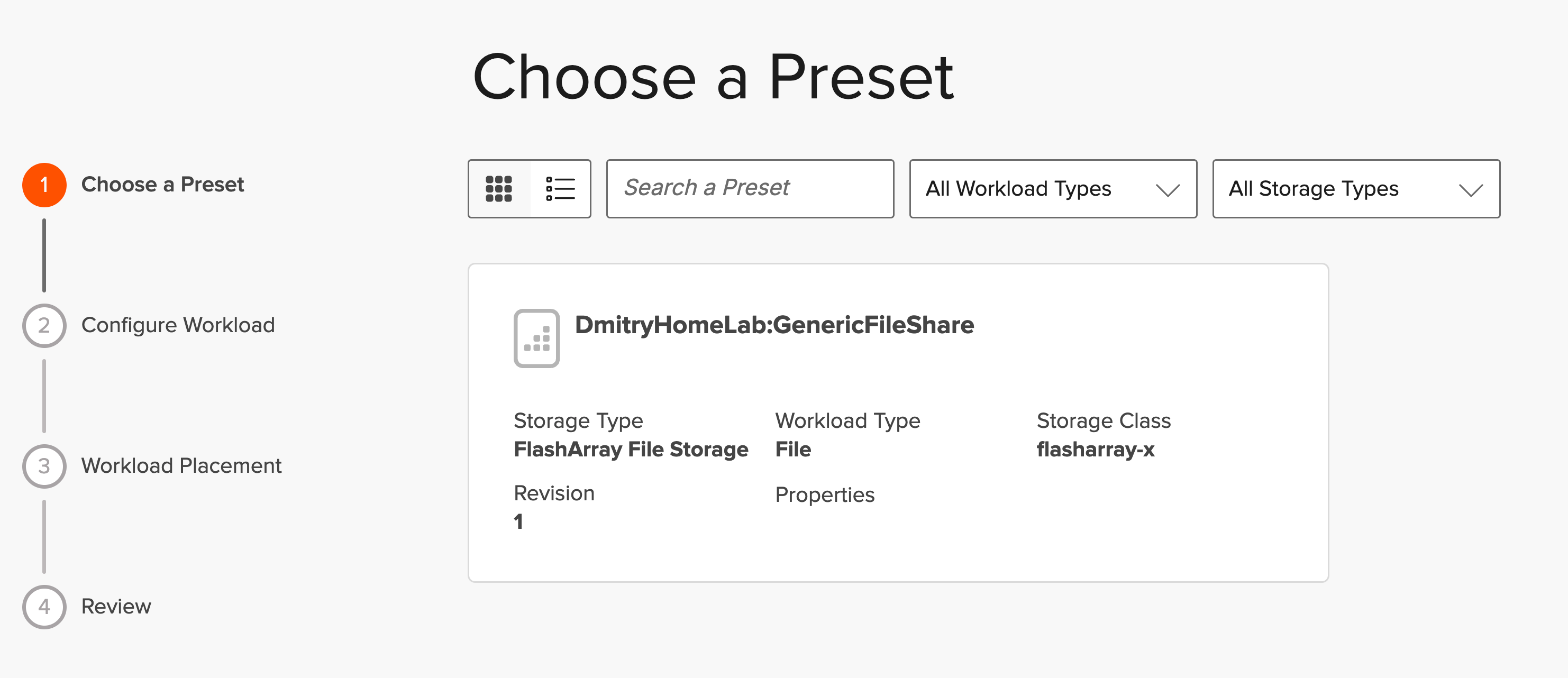
Lets create a workload from that preset.
Once I clicked on + to add a new Workload, the Wizard opened:
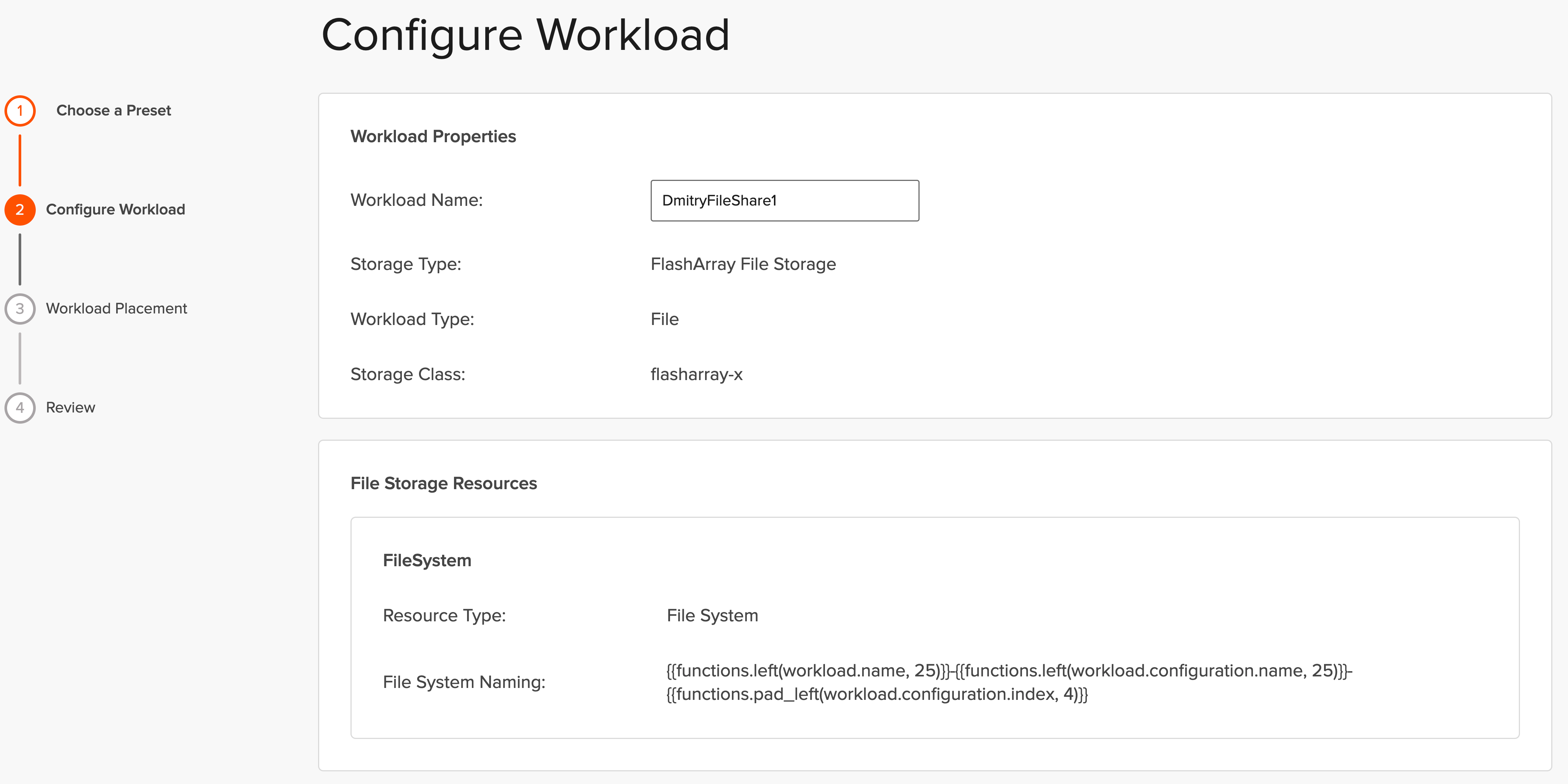
Give a name to that Workload:
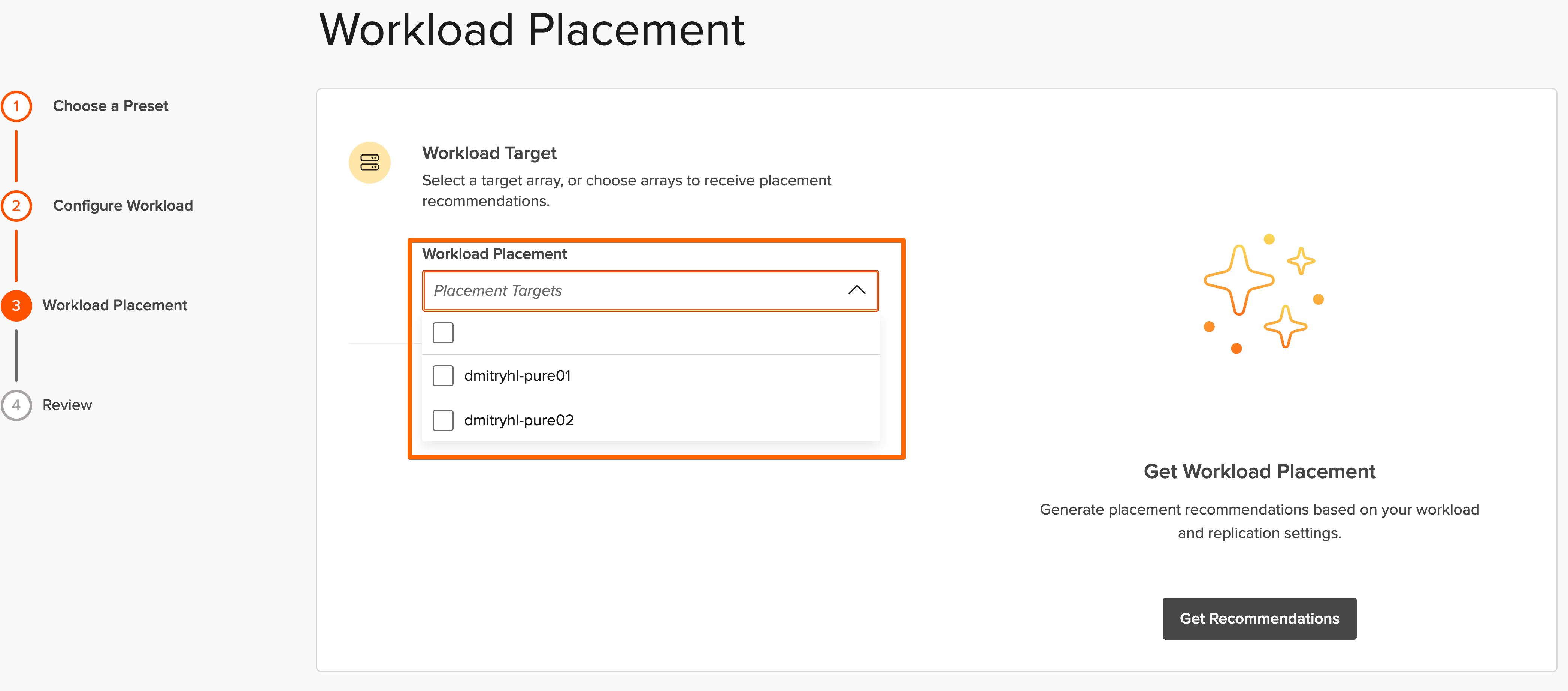
Since Fusion Fleet has both of my lab arrays, I have an option to select an array for the workload placement.
Our of curiosity I clicked: “Get Recommendations” and this was the result:
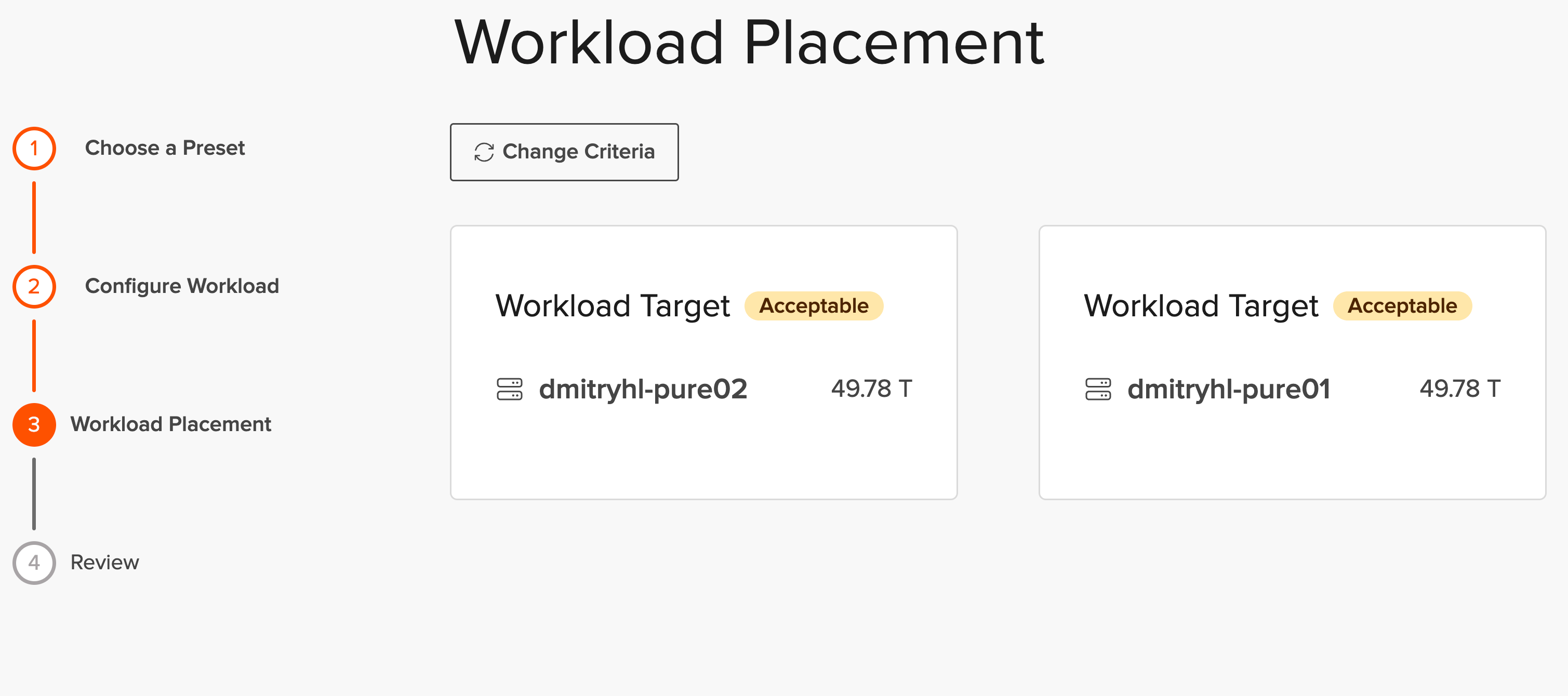
Once I hit Deploy, within seconds, the workflow executed and I had my File System created.

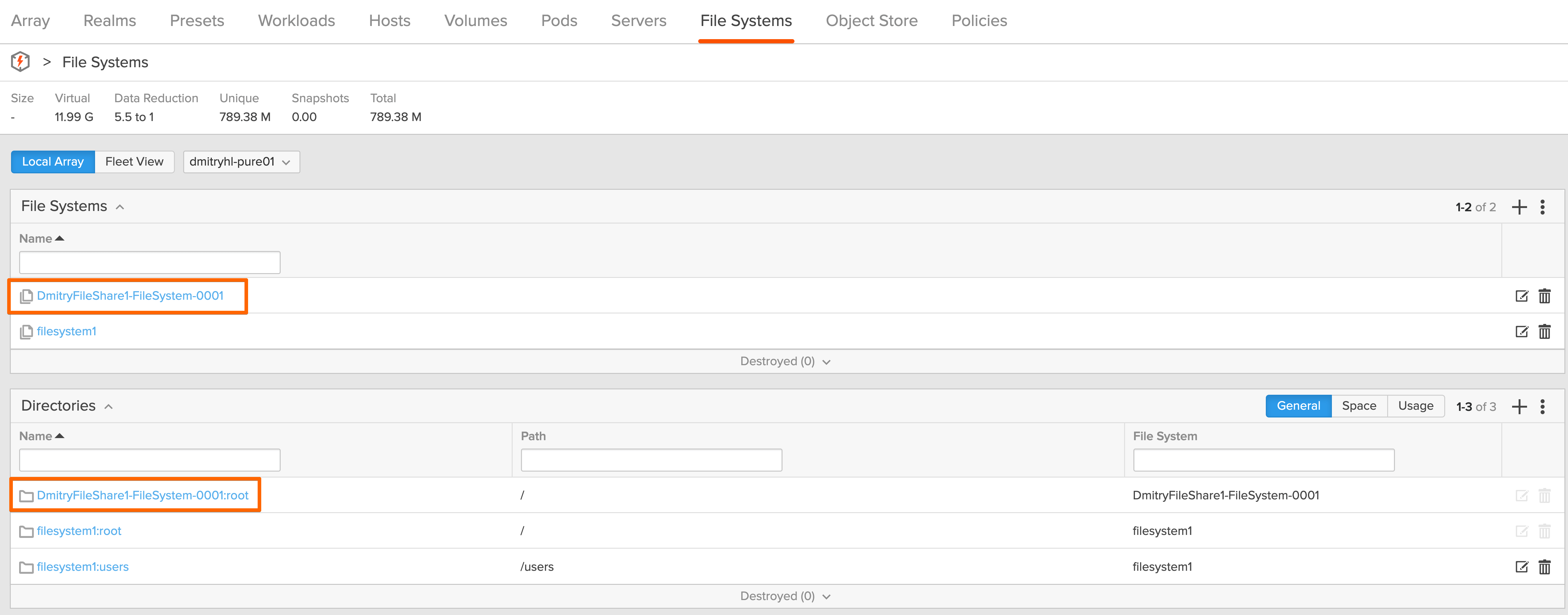
How awesome is this? Come on, give me a cheer!
Think about the magnitude of what just happened.
I provided minimal input, and Fusion handled the rest. It selected the appropriate array based on capacity and performance, created the file system, applied the policies, and ensured that everything matched the definition.
There was no second pass. There were no additional steps.
The outcome matched the intent.
By moving to this model, I just shifted from being a "storage admin" to a "data architect." I defined the outcomes and it happened “automagically”.
Why this matters more than efficiency
It would be easy to describe this as a way to reduce manual effort, but that misses the point.
The real value is consistency.
When every workload is created from a defined preset, variability disappears. Policies are enforced by default. Naming is consistent. Placement is based on a complete view of the environment rather than individual judgment.
Over time, that consistency reduces operational friction and lowers risk in ways that are difficult to measure but easy to recognize. Environments behave predictably, scaling becomes simpler, and the likelihood of human error decreases.
Where this leads
In the first post, I showed that file services can run natively on the array without additional infrastructure.
In this post, the focus shifted to removing the manual decisions involved in building and managing those services.
The next step is where things move beyond automation.
As capabilities like ActiveCluster for File continue to evolve, the conversation shifts toward mobility and continuous availability. At that point, it is no longer just about simplifying operations, but about removing the constraints that tie workloads to a specific system or location.
That is a conversation for Part 3.
Appreciate you reading.
Dmitry Gorbatov
© 2025 Dmitry Gorbatov | #dmitrywashere